GTFS: The Data Behind Your Transit Trip Planner
How a collection of simple text files tells apps where buses go, when they run, and where they stop
By Craig2 min read
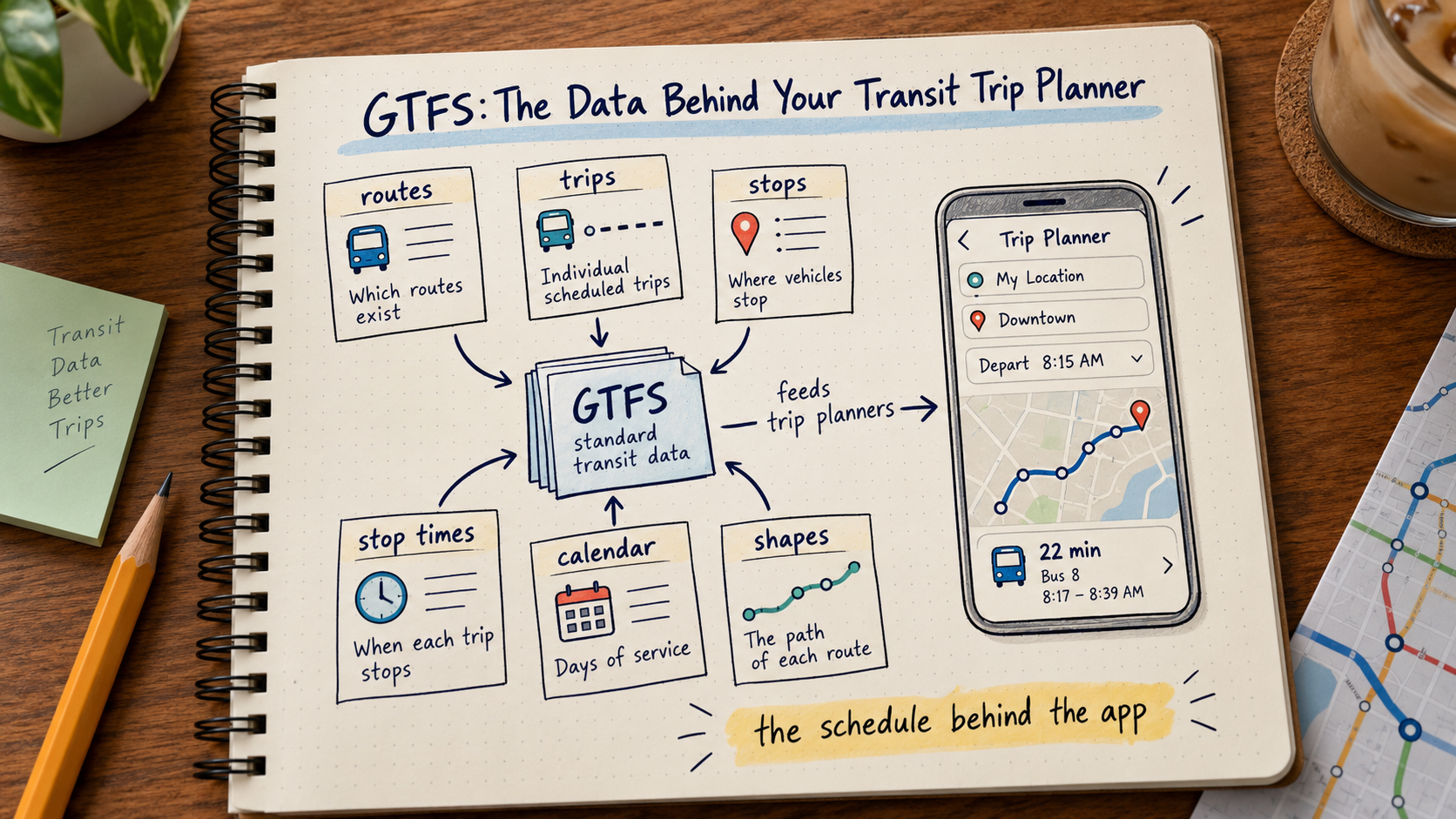
Open a transit app and ask for directions.
Within seconds, it may tell you:
- Which route to take
- Where to board
- When the bus leaves
- Where to transfer
- When you should arrive
Behind much of that information is a standard called GTFS.
What Is GTFS?
GTFS stands for General Transit Feed Specification.
It allows transit agencies to publish scheduled transit information in a standardized format.
The basic feed consists of text files packaged together.
Those files describe things such as:
- Agencies
- Routes
- Trips
- Stops
- Stop times
- Calendars
- Shapes
Routes and Trips Are Different
A route might be Route 15.
Within that route are many individual trips.
Each trip has its own:
- Direction
- Schedule
- Pattern
- Stops
- Service day
GTFS needs to represent all of those relationships correctly.
Stop Times
One of the most important files contains the scheduled stop times for each trip.
That is what allows a trip planner to determine when a bus is expected at a particular stop.
Even stops that are not traditional public timepoints may receive calculated schedule times in GTFS.
Service Calendars Matter
A weekday trip should not appear on Sunday.
A school-day trip should not appear during vacation.
GTFS uses service calendars and exceptions to tell applications when each set of trips operates.
Calendar mistakes can cause trips to appear on days when no bus will actually operate.
Shapes Draw the Route
The route line shown in a mapping application usually comes from shape data.
A shape is a series of geographic points describing the path traveled by the vehicle.
If the shape is wrong, the app may show the bus traveling down the wrong street even if the schedule itself is correct.
Validation Is Important
A GTFS feed contains many interconnected records.
Errors can include:
- Missing stops
- Duplicate identifiers
- Impossible times
- Invalid calendars
- Trips without shapes
- Broken references
Validation tools help identify problems before the feed is distributed.
GTFS Static Is Not Real-Time
Standard GTFS describes the planned schedule.
GTFS Realtime can provide information such as:
- Vehicle positions
- Trip updates
- Delays
- Service alerts
The two work together, but they serve different purposes.
The static feed tells the system what should happen.
Real-time data tells it what appears to be happening now.
Why Planners Need to Understand GTFS
GTFS may be technical, but it is also passenger information.
A data error can become:
- A wrong departure
- A missing trip
- An incorrect route
- A bad transfer
- A bus stop shown in the wrong location
That makes data quality part of service quality.
Tags
This article reflects the author's personal experience and general industry knowledge. Agency practices, labor agreements, laws, funding requirements, and operating conditions vary.